Draw it once. Quote it, make it, fit it.
Joinery OS is quoting and drawing software for joiners. It turns the sizes you measure into a priced quote, workshop drawings, a cutting list and supplier orders, all from the one drawing.
No card needed. Works in your browser on a computer, tablet or phone.
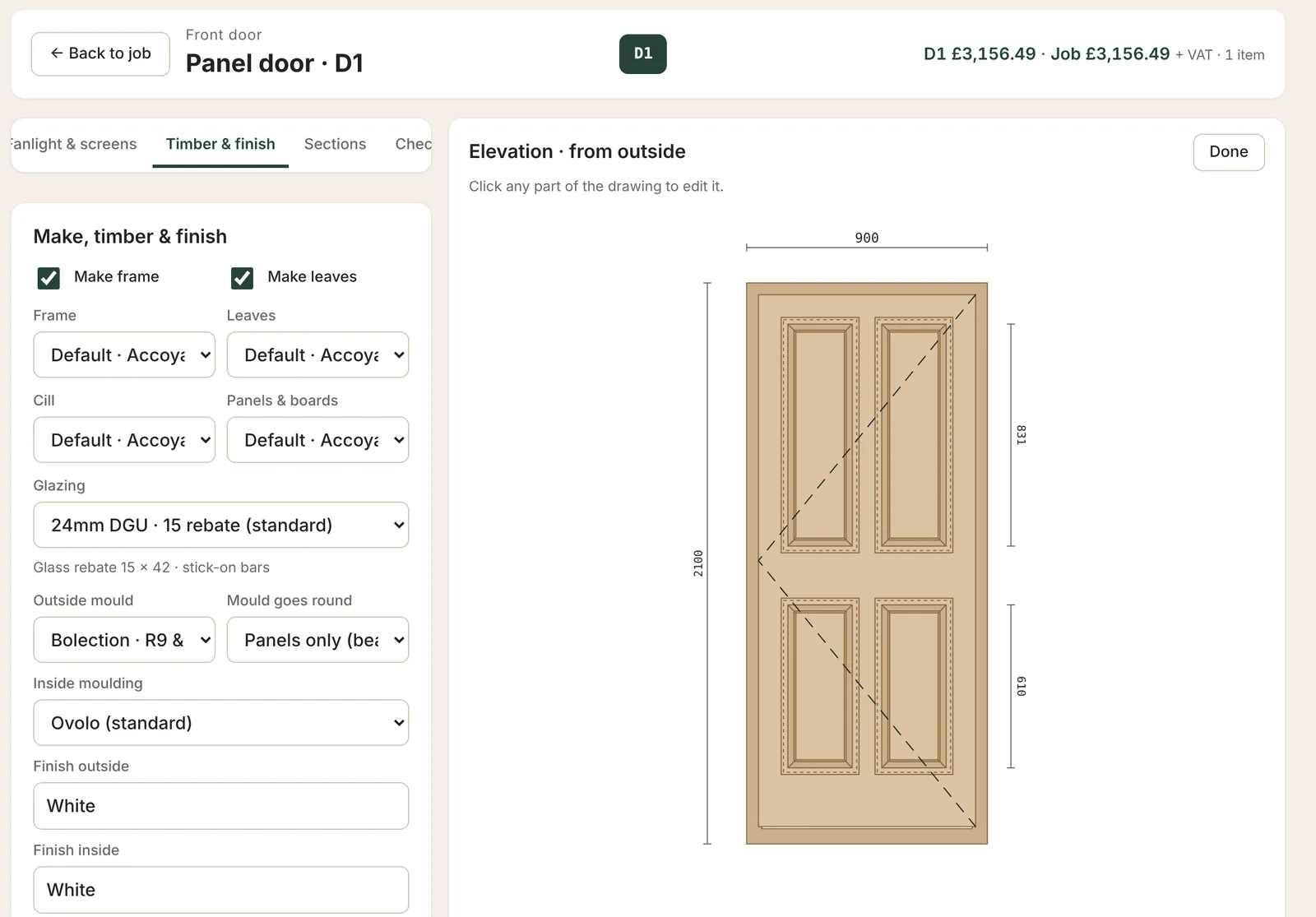
Made in a working joinery shop. Joinery OS is built and used every day in a Somerset workshop making casements, box sashes and doors for period and listed homes.
Joinery software that goes from survey to cutting list.
Enter the sizes once. Everything else is worked out from them, to your own section sizes, joints and prices.
Casements, box sash windows and doors
Flush and storm-proof casements, box sash windows with weights, and open-in and open-out doors. Click any part of the drawing to change bars, glazing, panels or mouldings, including bolection mouldings on doors.
Joinery quotes in minutes
Priced from your own timber, glass, ironmongery, finishes and labour rate. A clean PDF with your logo, your terms and a cancellation form when you need one.
Conservation drawings for listed buildings
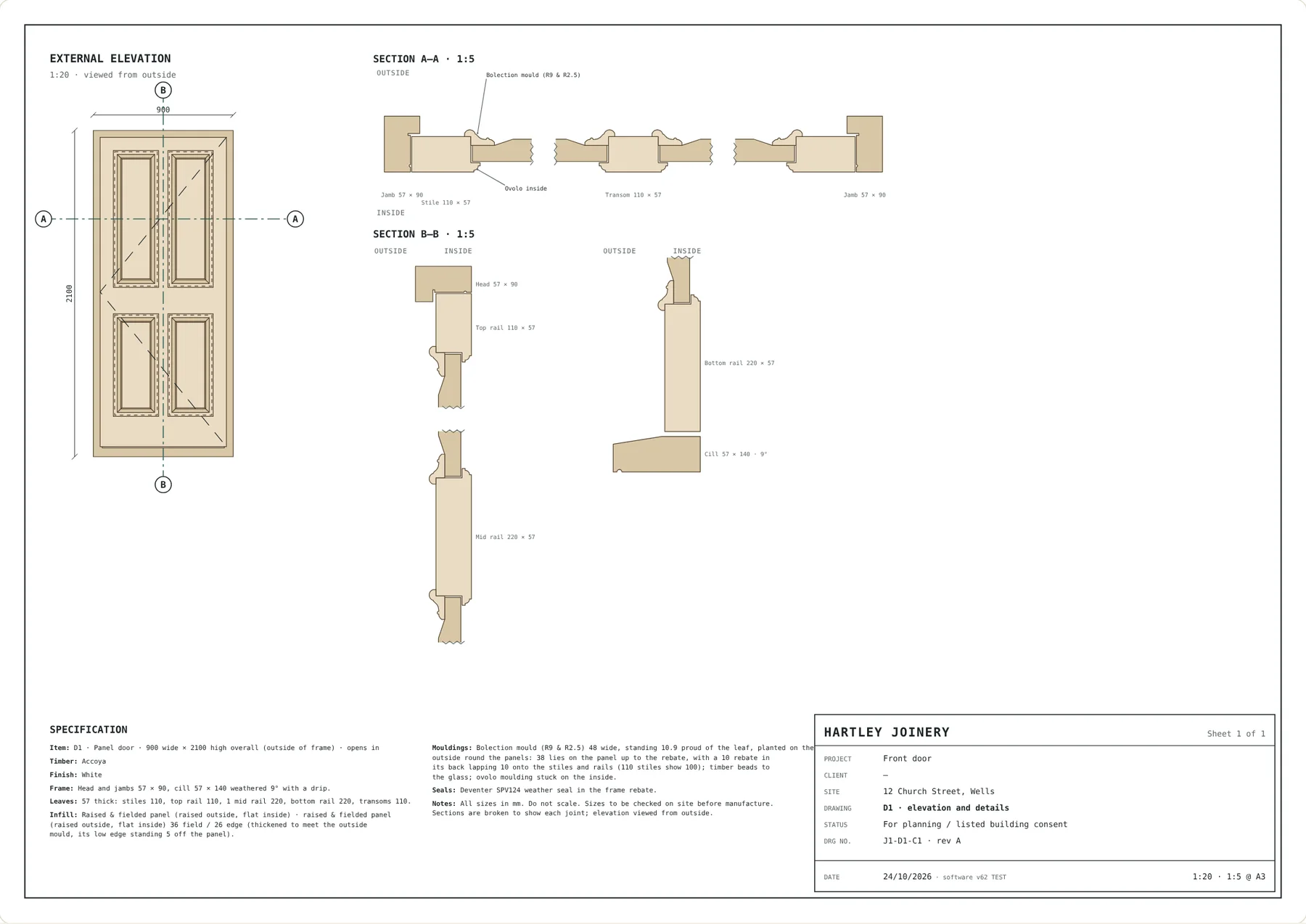
Elevations and joinery details ready to send to the conservation officer for planning and listed building consent.
Cutting lists and job sheets
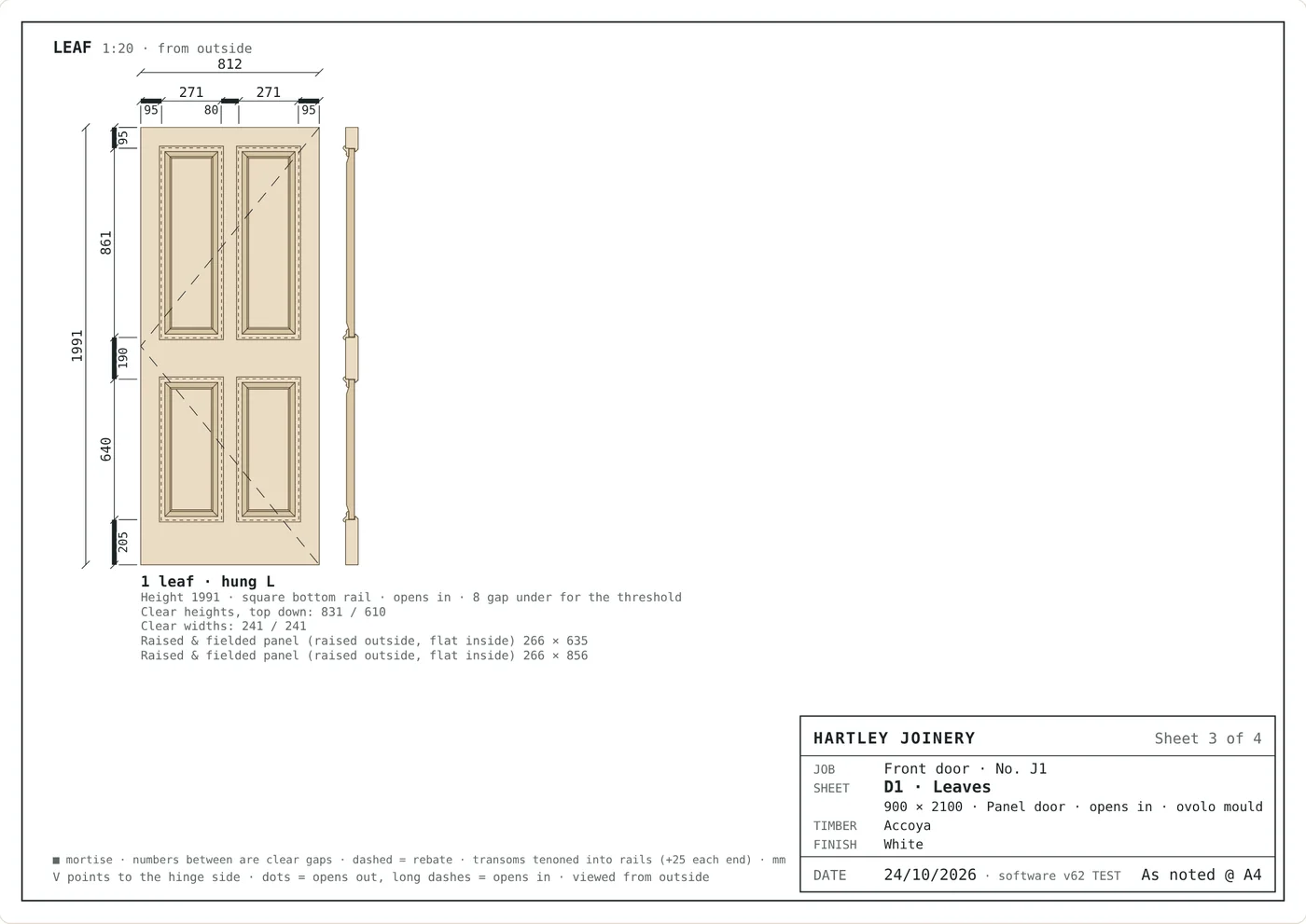
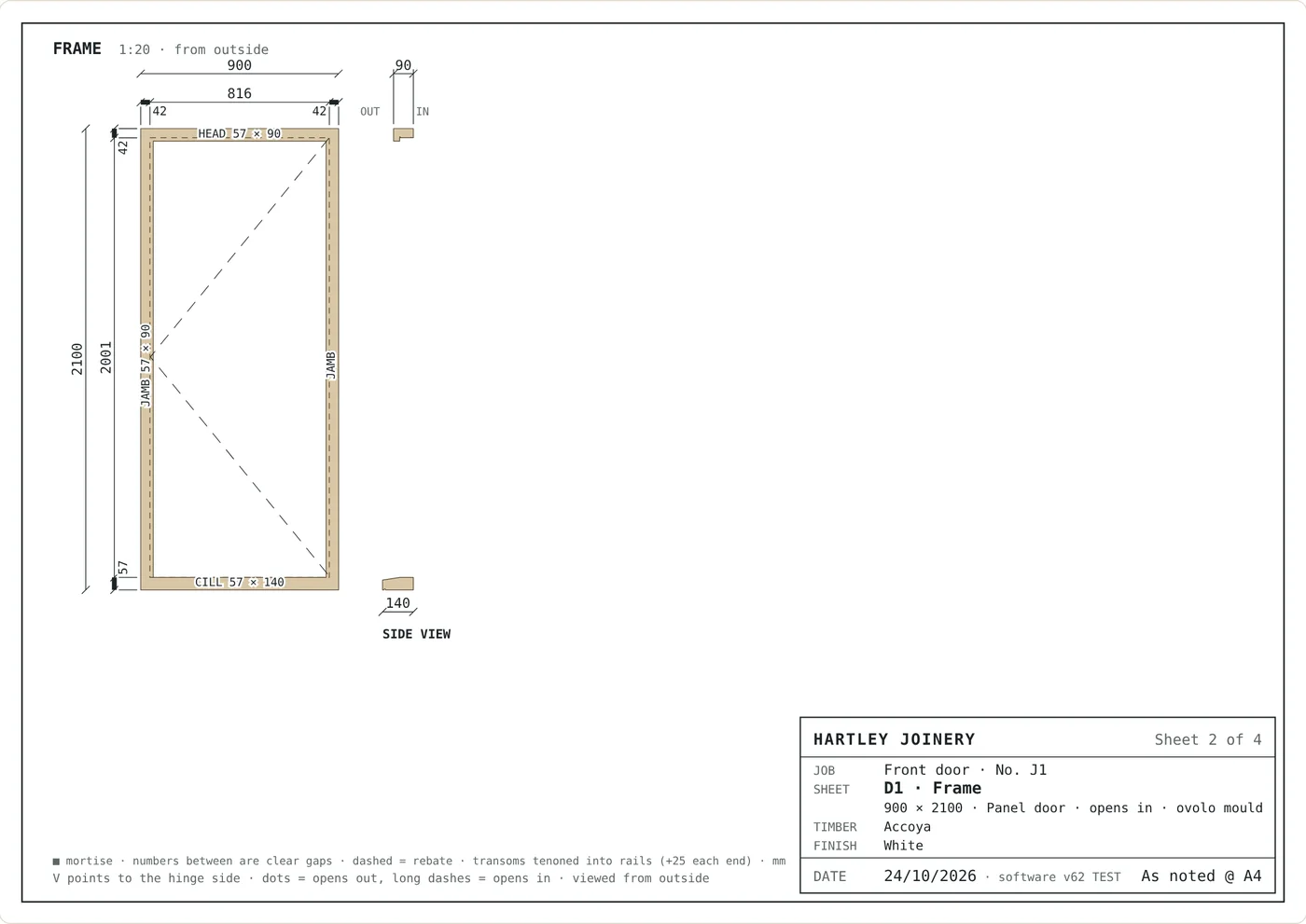
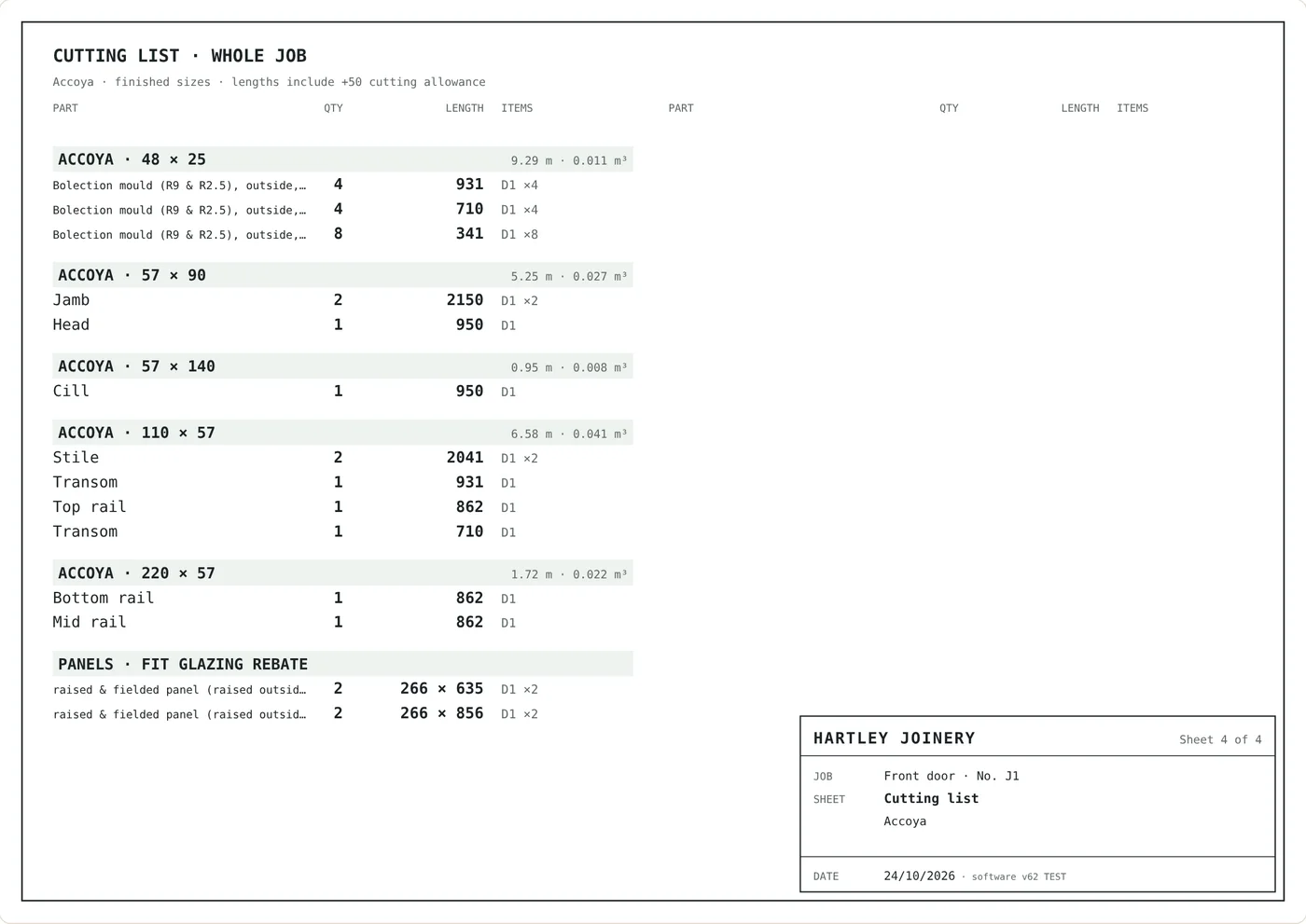
Every part, grouped by section, with finished sizes and cut lengths. Planing allowances on bottom rails are added for the workshop, not the customer.
Glass and ironmongery orders
Order sheets for your suppliers, with every glass unit and every handle, hinge and stay for the job.
Customers, jobs and your team
Every enquiry from first call to fitted, with follow-up reminders. Invite your team: the workshop sees drawings and cutting lists, but no prices.
Drawings for the conservation officer and the workshop.
Real sheets from Joinery OS for the same four-panel front door with bolection mouldings. Every one comes from the single drawing above.
Built for UK joinery workshops.
Joinery OS is for small and medium joinery firms that make timber windows and doors: casement and sash window makers, door makers, and heritage joiners working on period and listed buildings. One person can run it from the office; the whole team can share it from the workshop and on site.
Your prices and customers stay yours.
Try everything free for 7 days.
No card needed to start. Before your trial ends, we'll get in touch about carrying on. Nothing is charged automatically.
- Casements, box sashes and doors
- Unlimited customers, jobs and quotes
- Quotes, conservation drawings and job sheets as PDFs
- Cutting lists and supplier order sheets
- Your whole team, with Owner, Office and Workshop roles
- Help by email from people who make windows
Good to know.
Do I need to install anything?
No. Joinery OS runs in your web browser. Log in from the office computer, a laptop, a tablet in the workshop or your phone on site.
Can I use my own prices and section sizes?
Yes. Set your timber, glass, ironmongery and finish prices, your labour rate, and the section sizes and joints you work to. Quotes, drawings and cutting lists all follow them.
Does the workshop see our prices?
Not if you don't want them to. Give workshop staff the Workshop role and they see jobs, drawings and cutting lists, but no prices or quotes.
What happens when the trial ends?
You can still log in, see everything and download all your data. To keep making changes, email us and we'll switch your account on. Nothing is charged automatically.
Can I get my data out if I leave?
Yes, any time. Download everything in one file, plus your customers and jobs as spreadsheets that open in Excel.
Your next quote could take ten minutes.
Set up your prices, draw your first window and see the quote, drawings and cutting list come together.
Start your 7-day free trial